Space spins, A toggles Absorb mode, C opens the Collection, Q opens Fate Stones, R rerolls the shop and 1/2/3 nudges the three reels. Enter starts the wave; the skull button also works. The settings worth changing are Window Size, Max FPS and the experimental CPU Stability Mode — and there is no preparation timer.
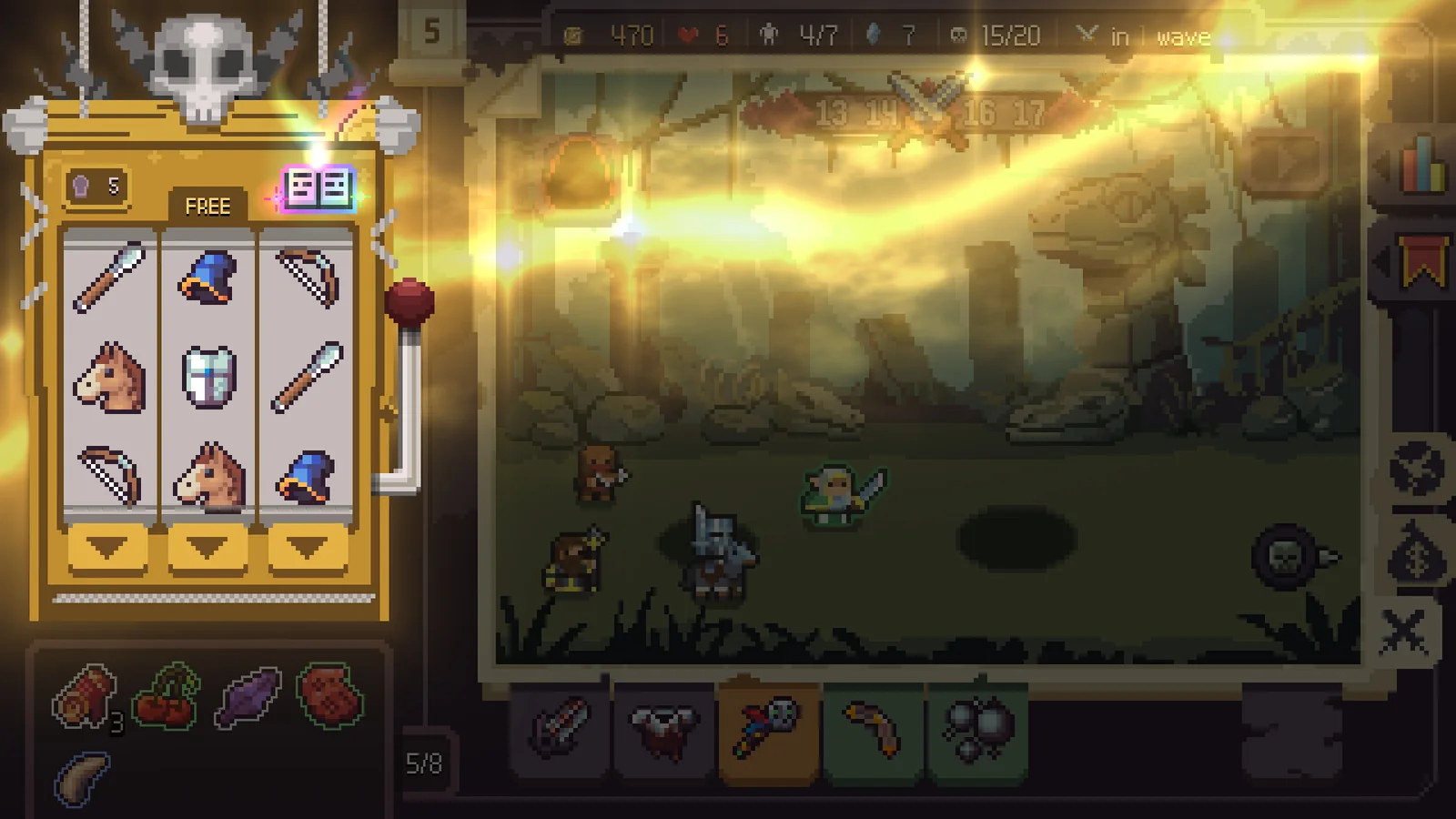
Slotbound ships with a short key list and no manual worth the name. Most bindings arrived in patches, which is why launch-week guides list a different set. The table separates what an official patch note confirms from what only the community guide documents.
The keyboard map
| Key | Action | Where it comes from |
|---|---|---|
| Space | Spin the board | v0.3.0 patch |
| A | Toggle Absorb mode | v0.3.0 patch |
| C | Open the Collection | v1.0.0 (8) |
| Q | Fate Stones panel | v1.0.1 |
| R | Reroll the shop | v1.0.1 |
| 1 / 2 / 3 | Nudge reel 1 / 2 / 3 | v1.0.1 |
| Enter | Start the wave | Community guide |
| Arrows, Page Up/Down | Scroll settings and language lists | v1.0.1 |
Three are worth learning before your first Judgment. C opens the Collection mid-run, including during a promotion, so you can check a path without leaving the screen. Q reaches Fate Stones without leaving the battlefield. R exists because shop rerolls are frequent enough that a mouse trip becomes a tax.
Absorb is a mode, not a drag
A toggles Absorb mode. With it on, dropping one unit onto another consumes the donor and feeds the recipient. With it off, you are moving units, not eating them. The difference matters at the unit cap: the machine refuses normal spins while you are over it, and absorbing is how you make room.
Two habits prevent expensive mistakes. Lock the units you intend to promote before feeding; the lock lives in the unit panel, which opens on right-click. And read the promotion preview before the last absorb: the community guide puts the first promotion at Absorb LV 5, where the recipient asks you to choose a subclass.
Gamepad: supported, lightly documented
Steam lists full controller support, including DualShock and DualSense categories. The patch notes add one button: View opens the Collection. A fix in v1.0.0 (9) also reveals that B leaves the shop and the Fate Stone screen, because it was failing to do so right after gold was gained.
Valve publishes no button map and the developer has not posted one. Expect to learn the face buttons by experiment; a fan layout the patches never mention is guessing.
The three settings that change the game
The first two are ordinary. The third is a stability switch for a specific hardware family. If it is not in your menu, your CPU is not one of the targeted models and there is nothing to enable.
There is no preparation timer
The wave preparation timer was removed in demo v0.2.0 and has not come back. You can spin, rearrange, absorb and read the Collection for as long as you like before starting the wave. The pressure is the board, not a clock. The preparation phase is turn-shaped, even though the battle is real-time.
If a key does nothing
- You are over the unit cap. The machine refuses normal spins until you absorb.
- You are on the promotion screen. The Collection opens there, but the board does not accept spins.
- Your keyboard layout is not what the shortcuts assume. Rebind in Settings > Controls.
- The window lost focus. Click inside it; an unfocused game may not receive the key.
The absorb guide covers promotion. Nudge vs Blast explains what 1/2/3 shifts, and the requirements page covers lower-end settings.
FAQ
Can I rebind the keyboard shortcuts?
Yes. The v1.0.1 notes say the new Fate Stone, reroll and nudge shortcuts can be changed in Settings > Controls.
What does the View button do on a controller?
It opens the Collection. That is the only controller binding named in an official patch note; Steam confirms full controller support but does not publish a full button map.
Does the game pause when I open the Collection?
The Collection opens during a run, including during promotion. The game does not describe it as a pause, so treat it as a screen you can read between decisions rather than a safe pause button.
Is there a timer in the preparation phase?
No. The preparation timer was removed in demo v0.2.0 and has not returned. You can take as long as you need before starting the wave.
Glossary
The words the game uses without defining them, from reel and grade to the class/subclass trap.
Nudge vs Blast
One moves a reel. One deletes a symbol. Using the wrong one is how good boards die.
Glossary
The words the game uses without defining them, from reel and grade to the class/subclass trap.